附:Dify安装无法安装插件解决方案
附:Dify安装无法安装插件解决方案
dify安装无法安装插件解决方案
安装deepseek出现下面的问题,无法安装
failed to launch plugin: failed to install dependencies: failed to install
dependencies: signal: killed, output: DEBUG uv 0.9.26
DEBUG Acquired shared lock for `/root/.cache/uv`
DEBUG Found project root: `/app/storage/cwd/langgenius/deepseek-
0.0.14@e7f88d74bf425ffc89d8794a33d581cceeaeec8d3b0091ccd5a5c2ff7c18c2a7`
DEBUG No workspace root found, using project root
DEBUG Acquired exclusive lock for `/app/storage/cwd/langgenius/deepseek-
0.0.14@e7f88d74bf425ffc89d8794a33d581cceeaeec8d3b0091ccd5a5c2ff7c18c2a7`
DE...UG Found fresh response for:
https://files.pythonhosted.org/packages/61/80/ffe1da13ad9300f87c93af113edd0638c
75138c42a0994becfacac078c06/flask-3.0.3-py3-none-any.whl
DEBUG Sending fresh GET request for:
https://files.pythonhosted.org/packages/61/80/ffe1da13ad9300f87c93af113edd0638c
75138c42a0994becfacac078c06/flask-3.0.3-py3-none-any.whl
Downloading pydantic-core (2.0MiB)
Downloading tiktoken (1.1MiB)
Downloading gevent (2.0MiB)
init process exited due to no activity for 120 seconds
failed to init environment
1、修改dify安装路径下的
docker/volumes/plugin daemon/cwd/langgenius/deepseek- XXXXXXXXXXX/pyproject.toml 文件
如果没有这个文件,需要执行一下安装
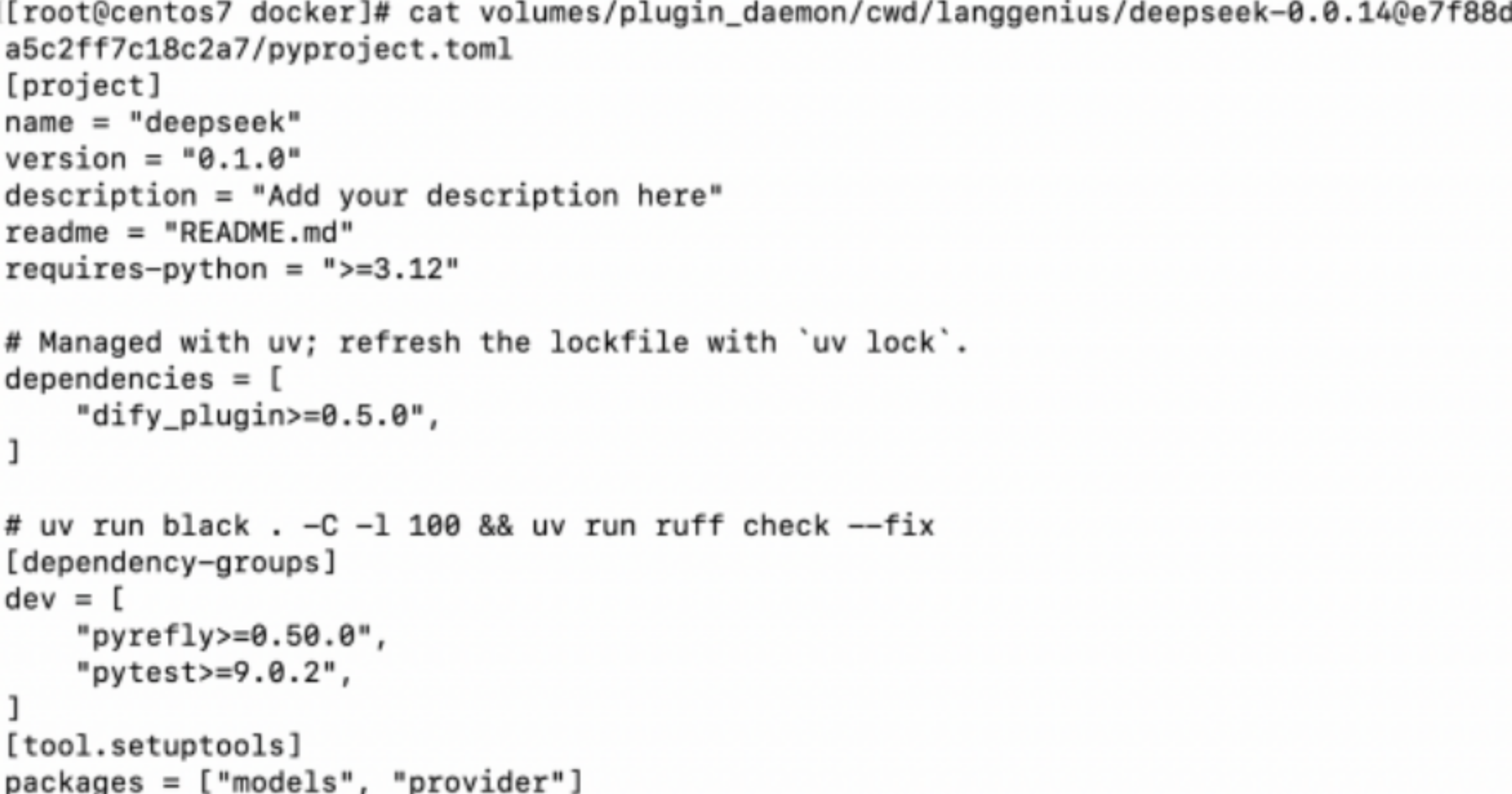
将 deepseek-XXXXXXXXXXX 更改为自己的文件夹名称在这个文件中添加下面的内容:
[tool.setuptools]
packages = ["models", "provider"]
整体效果如下:
2、提升安装速度(可选):修改 .env 文件,效果如下
1476 PLUGIN_PYTHON_ENV_INIT_TIMEOUT=1800   # 将1476行的超时时间由120改为1800
1477 # Plugin Daemon side timeout (configure to match the API side below)
1478 PLUGIN MAX  EXECUTION  TIMEOUT=600
1479 # API side timeout (configure to match the Plugin Daemon side above)
1480 PLUGIN  DAEMON  TIMEOUT=600.0
1481 PIP_MIRROR_URL=https://pypi.tuna.tsinghua.edu.cn/simple  # 将1481行的注释取消
1482 # PIP_MIRROR_URL=  # 将1482行注释,修改为清华的pip源
3、安装后执行
修改.env后需要执行
docker compose down
docker compose up -d
4、清理卡住的插件安装任务 docker exec -it docker-db_postgres-1 psql -U postgres -d dify_plugin -c "DELETE FROM install_tasks WHERE status IN ('running', 'failed', 'timeout', 'pending');"